
Does Sunday night make you feel a sense of dread because tomorrow is another week feeding your family? You’re not alone.
Thousands of other parents are in the same boat. From work schedules, to sports practices or homework time and everything else pulling at the family’s attention, working out what’s for dinner can seem impossible.
So guess what: Flying by the seat of your pants when it comes to meals is costing you more than money. It drains your energy, saps the fun out of spending time with family and disrupts healthy eating.
But what if planning five dinners a week could be nearly automatic? What if you had an easy system to help you with the “what’s for dinner?” panic?
This guide shares 11 organization hacks that make meal planning no longer a hated chore, but rather a smooth routine. These aren’t elaborate theories from food bloggers with far too much time on their hands. They’re no-nonsense strategies implemented by actual families with real schedules.
Let’s create your system that works for you.
Why Weekly Organization Changes Everything
It’s chaotic to decide meals day by day. You find yourself at the supermarket multiple times a week, purchasing haphazard ingredients that don’t complement one another and duplicating items you already own.
Weekly structure totally reverses this trend.
When you plan your meals for the week all at once, you can see the big picture. You see Monday’s roast chicken one day is Tuesday’s sandwich filling. You figure out one big container of yogurt is cheaper than seven single cups.
Most importantly, weekly planning takes away the stress of having to make all those day-to-day decisions. You go to bed the night before knowing what’s going to happen for dinner. No panic. No arguments. No pricey takeout because you’re too beat to think.
Families who convert to weekly planning feel they are gaining control of their time and expenses. The work is in making the initial setup, but the daily payoff is enormous.
Hack 1: Set Up Your Command Center for Efficiency
Your meal planning also needs a home base. The information is lost, forgotten or not read because there’s nowhere to put it in your system.
Create Your Kitchen Command Station
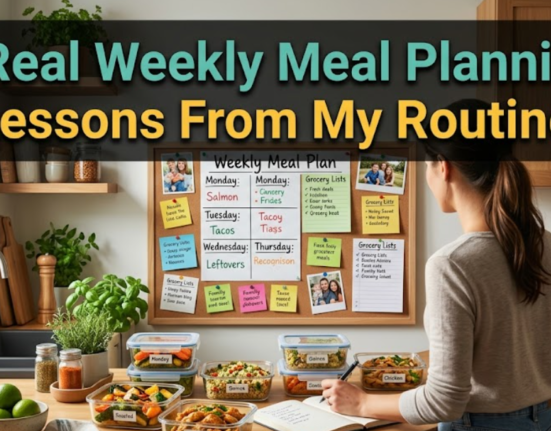
Designate one wall, cabinet door or corner in your kitchen as meal planning headquarters. This space has everything you need to plan out your week.
Weekly meal calendar, grocery memo pad, dry erase board for notes, folder or binder for best recipes—these are a few of our favorite things for your command center.
Pick a spot that’s visible and accessible to everyone in the family. When meal plans are public, family members anticipate what’s to come—and can even help prepare.
Employ Family Member Color Coding
Designate a single color for each family member. Put a colored dot on the calendar indicating who has obligations each evening. This visual system immediately reveals your busiest nights when a simple meal will be perfect.
Blue dots could be soccer practice. Red dots show music lessons. Green dots denote work meetings late into the evening. One look and you can tell Thursday is a slow cooker dinner day because everyone has somewhere to be.
Choose Your Weapon: Digital or Paper
Some families flourish with apps and digital calendars. Others like physical planners they can hold and write in. There’s no right answer—go for what you can count on using regularly.
Tech-comfortable families often appreciate digital tools, such as Trello, Notion or meal planning apps. They synchronize across devices so both parents stay up to date.
Paper planners resonate for those who are more likely to remember when they write out an idea or appointment longhand. A basic wall calendar and note pad are really all you need for much the same benefits, and they can be had for only a few dollars.
Command Center Essentials Checklist
- Weekly menu planner (digital or paper)
- Grocery shopping list master template
- Space dedicated to favorite recipe collection
- Color coding for family schedules
- Place where everyone in the family can see it
- List of fast meals for emergency subsistence
- Space to write meal preparation notes and reminders
Hack 2: The Sunday Planning Power Hour
Spend one hour per week planning. This is an investment against daily stress and hours of your thoughts scattered throughout the week.
Treat It Like an Important Appointment
Schedule your planning session. Treat it like something that is not up for negotiation, like a doctor’s appointment or work meeting. Most families pick Sunday afternoon or evening, but choose whichever day is easiest for your schedule.
This hour is when you look at your upcoming week, look in your cupboards at what food you already have, decide on meals for every night of the week and make a list.
Review the Week Ahead First
Check your family’s schedule for the week ahead before selecting meals. Which nights are rushed? When do you have more time? Is there a special occasion that calls for different foods?
Monday soccer practice ends at 6:30—you need a quick recipe for that. Wednesday night’s a blank slate—an ideal moment to make a dish that demands more of your active cooking time.
Aligning meals with your schedule ensures that you won’t have to agonize over making a complex dinner on your busiest evening.
Involve the Whole Family
Let kids pick one meal a week from your approved set. This participation also lessens pickiness and generates buy-in on the meal plan.
Adults can also express preferences. Fit in those tacos if your partner can’t live without them. When individuals have been seen and heard in the planning process, they are more cooperative during execution.
Hack 3: Templates That Save Your Mental Energy
Coming up with a new meal plan from scratch every single week burns you out. A template is about structure and freedom at the same time.
Build Your Rotating Menu Foundation
Create four weekly meal plans. Rotate through these monthly. This means that you’re planning the same basic structure each four-week cycle but can change out specific recipes within each template.
Week 1 Template Example:
- Monday: Pasta dish
- Tuesday: Tacos or Mexican food
- Wednesday: Chicken with vegetables
- Thursday: Soup and bread
- Friday: Pizza night
- Saturday: Grilling
- Sunday: Family favorite casserole
Week 2 rearranges the categories, but keeps the bones. Perhaps the pasta dish will become Asian noodles. Mexican might be represented by burrito bowls, rather than tacos.
Create Theme Night Frameworks
Theme nights give it even more of a framework. Each day of the week falls into a general category, and you pick specific recipes that fit that theme.
Meatless Monday dishes are any vegetarian recipes. Taco Tuesday is any food that has a Mexican flair. Slow Cooker Wednesday utilizes your slow cooker. Themes remain the same, but recipes cycle through.
This framework results in an order-of-magnitude improvement of planning time. You’re not picking from thousands of potential meals; you’re choosing among a more limited set. Decision-making becomes effortless.
Keep a “What Worked” Log
Keep a record of successful meals in a basic notebook or digital document. Make sure you label the name of the recipe, as well as the date you made it, and whether your family loved it.
This reference card is so useful when planning. When you don’t know what to make, consult your log of the proven winners. You will never have to waste time on recipes your family won’t eat.
Sample 4-Week Rotating Template
| Day | Week 1 | Week 2 | Week 3 | Week 4 |
|---|---|---|---|---|
| Monday | Pasta | Stir-fry | Soup | Breakfast for dinner |
| Tuesday | Mexican | Pizza | Sandwiches | Chicken |
| Wednesday | Crockpot | Beef | One-pan meal | Leftovers |
| Thursday | Fish | Vegetarian | Italian | Asian |
| Friday | Easy/Takeout | Make your own pizza | Burgers | Pasta |
Hack 4: Order Your Grocery List Carefully
A disorganized shopping list is a time waster in the store and lots of forgotten items needing another trip.
Organize by Store Layout
Organize your list according to how you walk around the store. Begin with produce, work your way through dairy and meat, then canned goods, before grabbing what you need from the freezer.
This approach ends backtracking through the store. You pick up items in the order you encounter them. Shopping becomes more efficient, with less stress.
Create a Master Checklist
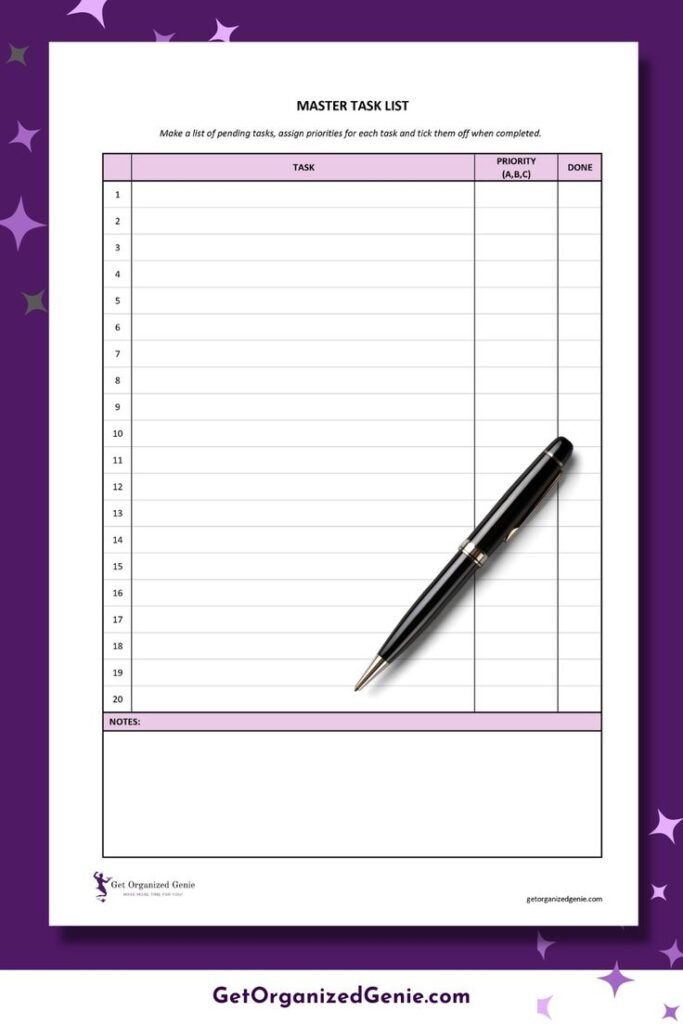
Create a master shopping list of everything you regularly purchase. Group items by category. You can simply check off what you need to buy each week instead of writing a new list from scratch.
This master list travels with many families in their phone or computer. Before shopping, they duplicate it and delete items they don’t need that week. The system ensures that you never forget basic staples.
Use the Notes Column Strategy
Create a column on your list for notes. Write descriptive information such as “large,” or “organic only” or “sale this week.” These reminders help stop you from purchasing the wrong size or completing a transaction without using advertised promotions.
The notes section can be helpful if someone else is doing the shopping for you. With these specific details, your partner or older child will be able to follow your list with precision.
Hack 5: Inventory Check Prior to Every Planning
Shopping without checking the contents of your cupboards and drawers ensures that you’ll buy duplicate items—wasting money!
Five-Minute Fridge and Pantry Check
Before you start planning your week, spend five minutes looking at what food you already have. Look at expiration dates. Make note of items to use quickly.
Jot down proteins in your freezer, vegetables that have to get used and things you’ve opened in your pantry but not used up. These elements are the building blocks of your plan for the week.
Use Clear Containers for Visibility
Decant dry goods like pasta, rice, flour and cereal into clear containers. You can immediately view quantities and see at a glance when supplies are running low.
This visibility eliminates the annoyance of planning spaghetti for dinner only to find out you have half a cup of pasta, instead of a full box, like you thought.
Implement the “Eat First” Shelf
Designate one area in your refrigerator for things that should be eaten within 48 hours. This is where any leftovers, end-of-freshness-looking veggies, and open containers go.
Check this shelf before preparing any meal or scheduling your week. Create at least one meal using these ingredients to avoid waste.
For more comprehensive meal planning for families resources and weekly organization tools, explore additional strategies that help streamline your entire food management system.
Hack 6: Batch Prep Stations for Speed
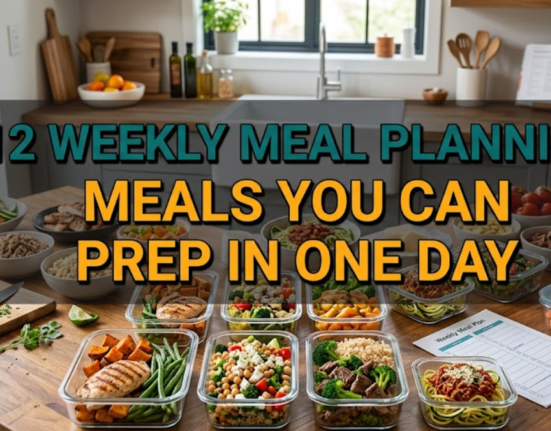
Meal prep isn’t about cooking everything on Sunday. It involves doing anything in advance to make weeknight cooking that much quicker.
The Chopping Station Session
Spend 30 minutes a week washing and chopping vegetables. Keep them in the fridge in clear containers.
On Tuesday when the recipe instructs you to add chopped onions and peppers, it’s already done. This preparation eliminates a huge time barrier to home cooking.
Protein Preparation Assembly Line
If your week involves chicken three ways, cook all the chicken at the same time. Season and divide for each recipe. Place each portion in a marked bag.
This assembly line method is much more efficient than pulling out seasonings and cutting boards multiple times a week.
Pre-Measure Dry Ingredients
For recipes that you like to cook frequently, pre-measure dry ingredients and store them in bags or labeled containers. If you are making pancakes, tip out the pre-measured flour mix into a bowl instead of measuring everything individually.
This is great for baking mixes, seasoning blends for certain foods and even smoothie ingredients.
Weekly Prep Station Timeline
| Time Slot | Task | Result |
|---|---|---|
| 20 minutes | Wash & chop vegetables | Pre-sliced veggies |
| 15 minutes | Portion & season proteins | Ready-to-cook meats |
| 10 minutes | Cook grain base (rice/quinoa) | Building blocks for meals |
| 15 minutes | Make snack containers | Healthy grab-and-go options |
| 10 minutes | Make one sauce/dressing | Flavor enhancer ready |
Hack 7: Flexible Plan With Built-In Give and Take
Life has a way of messing up the best-laid meal plans. Engineer your system with this capability.
Float Meals for Plan Changes
Schedule 2-3 “float meals” that can happen any night. They are easy, accommodating recipes that transcend schedule shifts.
In the event that Wednesday’s complicated recipe doesn’t materialize after you get scheduled into a last-minute meeting, swap in a float meal. That original recipe is for another day, when you have the time.
Keep Emergency Backup Meals Stocked
Keep a list of five emergency meals you can make directly from pantry and freezer staples. These backups ensure costly takeout isn’t the only option when plans go off the rails.
Think emergency meals like pasta and jarred sauce, frozen pizza with extra vegetables, breakfast for dinner, quesadillas made with pantry items or canned soup and grilled cheese sandwiches.
Stock your pantry with an eye toward the backup meals. Even when the plan fails, you’ll have a plan.
The Swap-Out System
Make the schedule of meals for the week, taking into account the possibility of moving things around without it hurting your progress. Tuesday’s chicken can morph into Thursday’s dinner when Tuesday goes crazy.
This flexibility eliminates guilt when life gets in the way of your best-laid plans. You’re not failing at planning—the system is working as intended.
Hack 8: Smart Leftover Integration
Leftovers aren’t just reheated meals. They are building blocks that turn into entirely separate dishes.
Cook Once, Eat Twice Strategy
Deliberately cook more of some items. Roast twice as many vegetables as you require. Cook extra rice. Cook more chicken than tonight’s recipe calls for.
The extras are lunch tomorrow or a totally different dinner later in the week.
The Transformation Map
Compile a reference of how leftovers can transform. This eliminates the guesswork of how to creatively use extra food.
Roast a chicken and it will give you chicken salad, quesadillas, soup and fried rice. Cooked ground beef becomes tacos, spaghetti sauce or stuffed peppers. Having these transformations mapped out makes using leftovers automatic.
Leftover Buffet Night
Make one night a week “buffet night.” Clean out everything left in the fridge this week. Everyone decides what they are going to eat.
This feels fun, not tedious. It consumes everything before it spoils. And it gives you a night off from making dinner without anything going to waste.
Hack 9: Shop Once to Save Time
Hitting the grocery store multiple times a week is a waste of time, gas money and an opportunity for more impulse purchases.
One Big Shop Plus Strategic Small Add-Ons
Do one big shopping trip once a week for all planned meals. Then add just one mid-week visit if you absolutely need fresh items, like bread or produce.
This approach saves hours on a monthly basis. You are not running to the store all the time.
Partner With Delivery or Pickup Services
Services including grocery delivery and curbside pickup charge a small fee but save an incredible amount of time. It’s also a way to avoid impulse purchases—you’re not walking by tempting aisles.
Place your order online during Sunday planning. Schedule pickup or delivery at your convenience. The modest service fee is easily recovered through eliminated impulse buys.
According to USDA meal planning resources, strategic shopping and planning can significantly reduce food costs while improving nutritional quality.
Create Store-Specific Lists
If you shop multiple locations for different deals, create separate lists for each store. One for the regular grocery store. Another for the warehouse club. A third for the farmer’s market.
This keeps you from forgetting items at certain stores and having to make second trips.
Hack 10: Family Communication Hub
Everyone wants to know what’s for dinner. Clarity stops misunderstandings and complaints.
Post the Visible Weekly Menu
Hang your meal plan where everyone will see it every day. The door of the refrigerator, a wall calendar or a bulletin board all work perfectly well.
When the kids ask “what’s for dinner?” they can review the plan. This cuts down on repeated questions and enables the family to anticipate what’s coming up next for a meal.
Assign Age-Appropriate Responsibilities
Assign each family member different tasks related to meal planning and preparation that week. Your 6-year-old can set the table. A ten-year-old can wash vegetables. Teenagers can prepare a simple meal under supervision.
Add these duties to the weekly schedule. Everyone knows their role. Cooking becomes an act of teamwork, not one person’s obligation.
Use Group Messaging for Updates
Start a group text or chat with the family. Send quick notes when plans change. “Tuesday’s chicken moving to Wednesday. Pizza tonight instead.”
This live communication ensures that everyone’s informed and someone isn’t coming home at night expecting completely different food than what’s prepared.
Hack 11: The Monthly Review and Refining Your System
Over time, your organization will get better and better. By examining what’s working, you can discover improvements.
End-of-Month Planning Session
Take 20 minutes at the end of the month to reflect on meal planning achievements. Which weeks went smoothly? When did things fall apart? What meals were hits? Which dishes are you never making again?
This type of reflection gives you a chance to create a better system month by month. You are discovering what is effective for your family’s individual needs and tastes.
Track Your Actual Savings
Look at how much you were spending before you implemented these organization hacks, and compare that to what you’re doing now. Calculate how much money and time you’re saving.
Concrete evidence of effectiveness will encourage you to stick with your system even when life gets busy. Once you realize you’re saving $400 a month, you’ll make that planning session a priority.
Adjust for Seasonal Changes
Let your meal planning system change with the seasons. Summer might involve more grilling and fresh salads. Winter can be all about soups and slow cooker recipes.
Review your templates quarterly. Adapt themes and regular meals to correlate with seasonal produce, weather variations and family schedule changes.
Monthly Review Questions
- What meals were way more work to make than expected?
- What ingredients did you always throw away?
- What nights required quick, easy meals instead of what was scheduled?
- Which new dishes should rotate onto the menu?
- What parts of the planning phase felt like wastes of time?
- How much less did we spend this month versus last month?
- What organizational tool needs improvement?
Building Your Personalized System
These 11 hacks fit together as a system. You don’t have to adopt every strategy today.
Get started with three hacks that will solve some of your most aggravating problems. Master those before incorporating more organizing details.
Start with templates and theme nights if decision fatigue drains you. If the prospect of shopping for groceries stresses you, concentrate on list-making and shop-streamlining. If time is your biggest adversary, begin with batch prep stations and the Sunday power hour.
You develop your ideal system by trying. What’s amazing for one family might not be a good fit for your lifestyle. Try each hack, give it a fair test and keep what’s helpful while adapting what isn’t.
Families Actually Using These Organization Hacks
One family of 5 alleviated their meal planning anxiety by 80% with templates and command center organization. The teenage daughter now picks out Friday meals and assists with Sunday prep.
By using batch prep stations and grocery consolidation, the Kumar family saves 6 hours each week. They put that time into family game nights instead.
The Williams family slashed their food waste from about $150 a month to less than $30 with a combination of inventory checks and leftover integration tactics.
Your results will reflect your family’s own story. But the organizational principles translate to any household willing to invest time in the initial setup.
Frequently Asked Questions
How long does it take to establish these organizational systems?
It takes about 2-3 hours for initial setup to create your templates, organize your command center, and build out a master grocery list. Then weekly planning takes 45-60 minutes all in. The time commitment diminishes as the system becomes routine.
What if I’m not naturally organized?
These hacks are particularly useful for folks who don’t think of themselves as being organized. The templates and checklists do the organizing for you. You follow a system, not an ad hoc collection of strategies each week.
Can these techniques be effective for dietary restrictions?
Absolutely. The system works for any eating style. If you’re gluten-free, vegetarian, keto or managing food allergies, planning and organization are even more important. Templates help ensure you always have the right foods on hand.
What do I do when no one wants to eat the planned meal for that night?
This is why the idea of “floating” meals and flexibility is important. If your entire family is rejecting Tuesday’s scheduled dinner, exchange it with a float meal or emergency backup. If a meal gets rejected repeatedly, move it to another night or cut it from the rotation altogether.
Is meal planning a suitable activity for young kids?
Yes, with age-appropriate involvement. Toddlers can identify pictures of foods they enjoy. Elementary kids can select between 2-3 pre-approved items. Teens can plan and prepare full meals with a little help. Participation creates cooperation and teaches life skills.
What is the minimum number of meals I must plan each week?
Plan five dinners a week. Keep 1-2 nights open for leftovers, eating out or quick convenience meals. This balance offers a solid framework without being too rigid. You can always plan more as your system improves.
How do I keep the motivation when the system feels like work?
Track specific benefits. Record each time you avoid a store visit, save money or spare yourself stress because dinner is already planned. These tangible wins keep you going. Also remember that the system becomes easier with practice.
I work odd hours; can I still adopt these hacks?
Yes, with modifications. Focus especially on float meals, emergency backups and flexible planning. You may plan ingredients for meals instead of specific meals on specific days. Batch prepping and freezing ingredients lets you cook when your schedule allows.
Your Next Steps to Get Organized With Meal Planning
Stop allowing the stress of meal planning to rule your week. These 11 organization hacks provide your roadmap to create a system that actually functions.
Choose your starting point today. Create a command center this weekend. Schedule your first Sunday planning session. Make one simple template for next week.
Small steps add up to big changes. This routine will become second nature in a few months. You’ll always know what’s for dinner and never feel overwhelmed at mealtime again.
Your family deserves peaceful mealtimes and home-cooked food. You deserve not to be the only one stressed about figuring out what’s for dinner.
The tools are here. The strategies are proven. All that’s missing is for you to get started.
Begin building your meal planning system today. Your future self—the one who is less harried and more organized—will thank you.